
RPA can automate work around AS400 without forcing you to rewrite the applications that keep the business running.
A bot can work through a 5250 session, connect directly to DB2 for i, call existing programs and data queues, or consume REST services exposed from RPG or COBOL.
The important decision is not whether AS400 RPA is possible. It is where the automation should connect and how much intelligence you should give it.
RPA is effective at handling predictable, rule-based work, while AI can take on the parts that involve unstructured data, exceptions, pattern recognition, or judgment. Used together, they can extend automation beyond repetitive tasks without disrupting the IBM i core.
So, let's look at where RPA works best, where AI adds value, and where the two work better together.
6 Things You Should Automate First on IBM i
The best first RPA project is rarely the most complicated process. Start with work that is high-volume, repetitive, rules-driven, and still requires a person to move information between IBM i and another system.
Common AS400 RPA opportunities include:
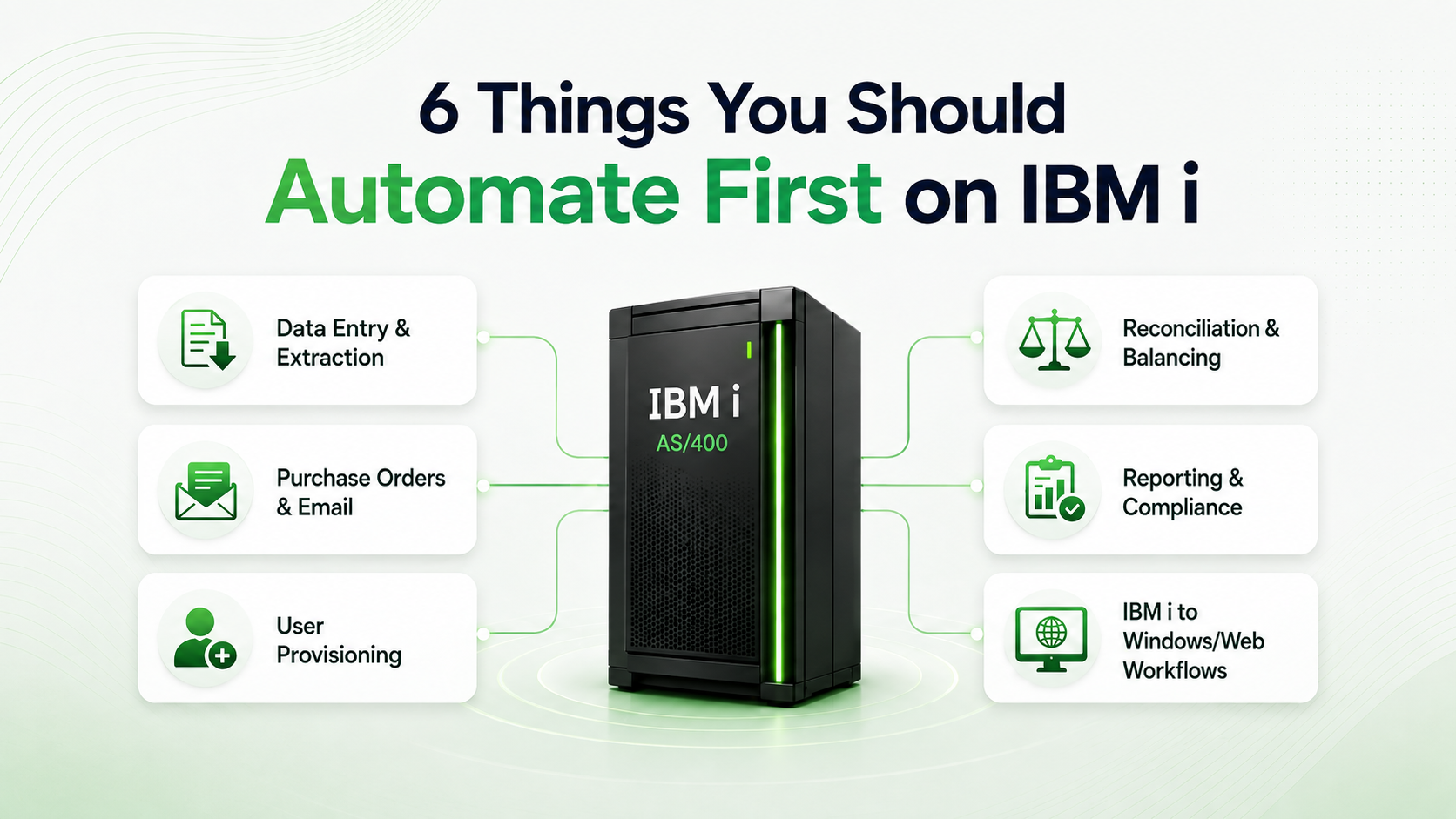
1. Data Entry and Extraction
Employees may still be copying information between 5250 applications, spreadsheets, PDFs, reports, and newer business systems.
RPA can extract IBM i data into formats such as Excel or CSV, populate reports, send the information by email, or move it directly into another application.
The reverse works too: information received elsewhere can be validated and entered into IBM i automatically.
2. Purchase Orders and Incoming Email
Purchase orders, customer information, applications, and other business documents often arrive through shared inboxes.
Instead of having an employee read the email and re-enter the information, automation can:
- Monitor the mailbox
- Capture the document or message
- Extract the required fields
- Validate the data
- Enter the transaction into IBM i
- Route only exceptions to an employee
This is also one of the easiest areas to extend with document AI later.
3. User Provisioning
Creating and removing IBM i users often involves multiple systems and repetitive administrative work.
RPA can coordinate:
- Account creation
- Profile configuration
- Permission changes
- User removal
- Synchronization with identity systems such as Active Directory
4. Reconciliation and Nightly Balancing
Many IBM i environments still depend on people checking whether data across reports, files, or systems agrees. Bots can collect the required records, compare them automatically, and send only genuine mismatches for review.
This is particularly useful for financial, insurance, and other transaction-heavy processes.
5. Reporting and Compliance
If employees repeatedly extract the same information from IBM i, build reports, and distribute them, the workflow is a strong RPA candidate.
Automation can gather data from several sources, generate the required output, distribute it, and record what happened.
That final piece matters for regulated organizations because the process creates an audit trail rather than depending on undocumented manual work.
6. IBM i-to-Windows or Web Workflows
The process does not need to stay entirely inside IBM i.
A bot can:
- Read information from IBM i
- Open a Windows application
- Update another enterprise system
- Log into a web portal
- Retrieve information
- Return the result to IBM i
Already have a manual IBM i workflow in mind?
Get in touch with our AS400 team to see where automation can fit
How RPA Connects to AS400
RPA can connect to AS400 in several ways. The right choice depends on what the process actually needs to do.
If the task depends on logic inside a 5250 application, automate the screen. If it is mainly moving or validating data, connect to DB2. If a callable program already exists, use it directly. And if the same IBM i logic needs to serve multiple systems, expose it through an API.
Here is how each approach works.
1. Use 5250 Screen Automation When the Business Logic Sits in the Application
A bot can sign into a 5250 session, navigate menus, enter data, read responses, and use function keys just as an employee would.
Use this approach when the transaction depends on business logic that already exists inside the application and there is no cleaner way to access it.
Common examples include:
- Order entry
- Transaction processing
- Administrative workflows
- Legacy applications without APIs
Where possible, connect to the terminal as structured fields rather than automating what appears visually on the screen. That makes the bot less dependent on screen layout and easier to maintain.
If the process can be completed reliably through the database, a callable program, or an API, use one of those routes instead of adding unnecessary screen automation.
2. Connect Directly to DB2 for Data-Heavy Work
When the process is mainly about retrieving, checking, or moving data, there is often no reason to open a 5250 session.
RPA can connect directly to DB2 for i through ODBC or JDBC.
This works well for:
- Report extraction
- Data validation
- Reconciliation
- Master-data synchronization
- Analytics feeds
- Scheduled data transfers
For read-heavy processes, this is often the simpler approach.
Writes need more consideration. An RPG program may apply validations or business rules before updating a record. Writing directly to the database can bypass that logic.
So use DB2 directly when you understand what the application normally does with that data. If those rules matter, route the transaction through the application or program that already enforces them.
3. Call Existing RPG or COBOL Programs When the Logic Already Exists
If the business logic already exists in a callable RPG or COBOL program, the bot may not need to interact with the user interface at all.
It can call the program directly or send work through an existing data queue.
This removes the dependency on screen navigation and gives you a more stable automation path.
Choose this approach when:
- The required program is already callable
- Its parameters are known
- Existing IBM i workflows already use data queues
- You want to avoid maintaining screen-based automation
The main requirement is understanding the program well enough to know what it expects and what it does.
If that knowledge exists, use it. There is little value in teaching a bot to press F-keys when it can invoke the underlying logic directly.
4. Expose IBM i Logic Through APIs for Reusable Integrations
Some processes should not remain tied to a single bot.
If the same RPG or COBOL functionality needs to be used by an RPA workflow, web application, partner portal, mobile app, or AI system, expose that logic as a service.
IBM Integrated Web Services can expose existing ILE programs and service programs as web services without requiring you to rebuild the underlying business logic.
This takes more engineering than screen automation, but it gives you a reusable integration layer.
Choose this route when:
- Multiple systems need the same IBM i functionality
- The process is already part of a modernization initiative
- New integrations are likely to be added later
- You want to reduce long-term dependence on 5250 automation
Here's How We've Helped Clients Automate Around AS400
Here's a Glimpse of the Pain Points We've Helped Our Clients Solve:
Purchase Order Automation: 60% Faster PO Cycles
For a global industrial equipment manufacturer, Nalashaa combined RPA with AI-powered document extraction to automate PO creation and supplier updates around the existing AS400. The result: PO processing dropped from 2–3 days to 6–8 hours, manual effort fell 70–80%, and data-entry errors dropped 40%.
Invoicing Automation: 40% Faster Processing
A supplier running its invoicing process on an AS400-based ERP was spending around 200 staff hours each week on invoice management. Nalashaa used UiPath, AS400/DB2 connectivity, OCR, and NLP to automate data retrieval, invoice preparation, reconciliation, distribution, and response tracking. Invoice generation became 40% faster, with a 90% reduction in FTE effort and accuracy improving to 95%.
Manufacturing Integration: 50% Fewer Line Stoppages
For a Tier-1 automotive supplier, Nalashaa connected a modern MES with the existing AS400 so production and inventory transactions could move between the two without manual double-entry. The integration reduced line stoppages by 50%, lowered inventory carrying costs by 15%, and brought shop-floor-to-inventory latency below five seconds.
AI-Powered Inventory Planning: 28% Lower Holding Costs
For another manufacturer, existing AS400 data became the foundation for predictive inventory planning. Historical IBM i data fed forecasting models and dynamic reorder recommendations, while approved actions were written back into AS400 without manual re-entry. The project delivered 82% forecast accuracy at 30 days, reduced inventory holding costs by 28%, and cut manual planning time by about 35%.
How Ready Is Your IBM i Environment for AI Automation?
Use this quick check.
Give yourself one point for each statement that is true:
- We already have at least one production automation interacting with IBM i.
- Bots run through centrally managed schedules or queues.
- Exceptions automatically reach a defined owner.
- Bot credentials are centrally controlled.
- We can retrieve structured automation logs.
- We know our most common exception types.
- We already convert at least some unstructured inputs into structured data.
- We have documented what AI systems may and may not do against IBM i.
0–2 Points: Start With RPA
Choose one repetitive, high-volume process and establish the automation pattern.
3–5 Points: Strengthen the Foundation
Standardize orchestration, security, logging, and exception management before significantly expanding AI.
6–8 Points: Evaluate AI Extensions
You likely have enough automation maturity and operational data to evaluate document AI, predictive exception handling, or a tightly controlled agent pilot.
Know Your Score, but Not Your Next Step?
Book an AS400 automation assessment to map your current process and identify the right entry point.
Bottomline
When it comes to AS400 automation, the technology is only one part of the equation. Projects tend to run into trouble when teams automate the wrong process, underestimate integration with surrounding systems, or move ahead without the IBM i skills needed to understand what sits behind the workflow.
That is why a successful automation initiative should start with a clear view of the process, the dependencies around it, and the outcome you actually want to improve. Once those are understood, choosing between RPA, AI, APIs, or a combination becomes much easier.
So if you're planning for a process to be automated, you can talk to our AS400 team, and we'll help you assess the right way forward.
Frequently Asked Questions
Can RPA Work with AS400 and IBM i?
Yes. RPA can interact with IBM i through 5250 terminal automation, DB2 for i connectivity, direct program calls or data queues, and APIs or services exposed from existing applications.
The correct approach depends on where the business logic required by the process resides.
Do We Need to Modernize AS400 Before Using RPA?
No.
RPA can automate workflows around existing IBM i applications without first rewriting those applications.
In some cases, automation can actually help prioritize future modernization by showing which processes create the most manual work and exceptions.
Should We Use 5250 Screen Automation or Direct Database Access?
Use screen automation when the transaction depends on business logic embedded in the application.
Use database connectivity when the task is fundamentally about retrieving, validating, synchronizing, or reporting data and does not require screen-level logic.
For complex processes, using both is common.
Can AI Be Added to Existing AS400 RPA Bots?
Yes.
A practical starting point is using AI to interpret unstructured inputs such as invoices, purchase orders, emails, or scanned documents while allowing the existing deterministic automation to continue handling validation and transaction execution.
Can AI Help with RPG Applications?
Yes.
AI-assisted code understanding can help development teams interpret existing RPG programs, document business logic, and investigate unfamiliar parts of an IBM i application.
IBM's watsonx Code Assistant for i is designed specifically to support RPG and IBM i development and modernization workflows.
Is RPA Secure on IBM i?
It can be when designed correctly.
Bots should use dedicated identities with least-privilege access, centrally managed credentials, defined permissions, comprehensive action logging, and clear exception and recovery procedures.
Should We Skip RPA and Go Straight to AI Agents?
Usually not.
AI agents are most useful when reliable tools and workflows already exist for them to call.
For IBM i environments, establishing deterministic automations, logging, governance, and approval rules first reduces the risk of introducing autonomous decision-making too early.