
Reconciling payments used to take the whole week, and we still caught errors after. Nalashaa automated the full flow and cut our processing time by 80 percent, with manual effort down 98 percent. At three million customers, that handed the team its week back.
RPA Support and Maintenance Services
Keep your bots stable, updated, and performing with flexible RPA support plans backed by certified experts.
- Fixed Plans from $500/mo
- Shared & Dedicated Options
Hear It From Our Customers
Sound Familiar?
The Support Gap Most RPA Teams Eventually Hit
Building bots is only the first step. Keeping them stable, updated, and effective is a different job, and it rarely justifies a full-time support role.
Scarce RPA Talent
Skilled RPA developers are difficult to find and expensive to keep available for occasional support needs.
Not Enough Work for a Full-Time Hire
The support demand is real, but often too inconsistent to justify adding a dedicated full-time resource.
Bot Failures Need Fast Attention
When a bot stops, manual work starts piling up. Delayed support quickly turns into missed deadlines and growing backlogs.
Automation Potential Goes Unused
Existing bots could deliver more value, but no one has the time to improve, optimize, or extend them.
Small Changes Add Up
Application updates, selector changes, credential resets, and process adjustments create a steady stream of maintenance work.
Every New Bot Adds Support Pressure
Each automation rollout increases the workload for a team that may already be stretched thin.


How RPA Support Starts
A simple, structured onboarding process gets support in place quickly without disrupting your existing automation program.
Free Bot Health Check
Your current bots, dependencies, failure points, and support needs are reviewed to identify where the environment is most vulnerable.
Choose the Right Support Plan
Support requirements are mapped against bot volume, complexity, and expected demand, helping you avoid paying for more coverage than you need.
Knowledge Transfer and Setup
Bot documentation, credentials, dependencies, schedules, and support procedures are captured so monitoring and maintenance can begin smoothly.
Support, Maintain, and Improve
Ongoing support covers issue resolution, preventive maintenance, performance improvements, and clear monthly reporting.

RPA Support and Maintenance Services We Provide
Our RPA support and maintenance services cover monitoring, troubleshooting, upgrades, preventive maintenance, and ongoing optimization to keep your bots running reliably.

Performance Monitoring
Continuous monitoring of bot runs, exceptions, and failures helps identify issues early and reduce the risk of disruption, delays, or manual backlogs.

Scheduled Upgrades
Planned platform, application, and bot upgrades keep the automation environment current, compatible, and secure without unexpected breakages.

Maintenance and Troubleshooting
Routine upkeep and fast issue resolution help restore workflows affected by application changes, credential problems, or process exceptions.

Security and Optimization
Regular tuning, updates, and security checks help bots remain efficient, reliable, and aligned with compliance requirements over time.
Get proactive RPA support that monitors, upgrades, and fixes your bots for you
Talk to an RPA expert

Here Are The RPA Support and Maintenance Plans You Can Choose From
Based on how frequently you use your RPA services, below is a spectrum of options for you to choose from.
| Green | Pink | Yellow | Indigo | Blue | |
|---|---|---|---|---|---|
| Monthly Price | $500 | $900 | $1,600 | $3,000 | $4,800 |
| Resource Type | Shared | Shared | Shared | Shared | Dedicated |
| You Get Hrs/Month | 10 | 20 | 40 | 80 | 160 |
*Minimum sign-up: 12-month program
Industries
Industries We Support with RPA
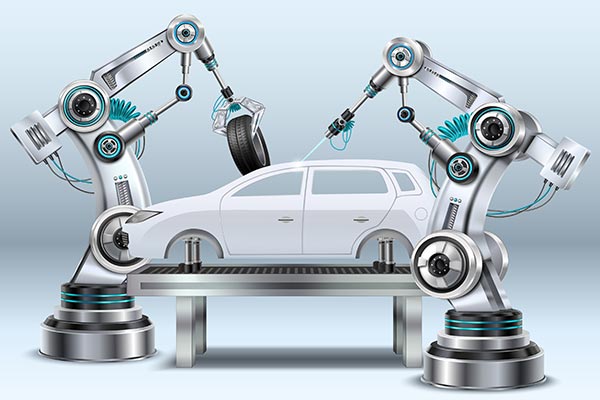
Manufacturing
- Shop-floor task automation and error reduction
- Real-time tracking across ERP, BOM, and plant systems
- Improved productivity, quality, and delivery

Work with us
Tell us what is happening with your bots
Your first call is directly with an expert who will understand your challenges and guide the next steps.
- Get your bot estate reviewed by a certified RPA engineer
- Identify immediate risks, recurring issues, and optimization opportunities
- Choose the right level of support without paying for unused capacity

See How Our RPA Support Helped Clients Keep Automation Running
See how our RPA support helped clients reduce bot failures, ease maintenance demands, and keep automation running smoothly.


Frequently Asked Questions
Nalashaa offers fixed monthly RPA support plans starting at $500 for 10 hours. Other plans include $900 for 20 hours, $1,600 for 40 hours, $3,000 for 80 hours, and $4,800 for 160 hours with a dedicated resource.
This works out to an effective rate of $30 to $50 per hour. By comparison, third-party RPA maintenance is often priced at $10,000 to $50,000 per year or 15% to 20% of the original automation build cost.
RPA support is typically priced using one of three models:
- Hourly time and materials
- A percentage of the original implementation cost
- Fixed monthly support plans
Nalashaa uses fixed monthly plans, giving you predictable costs and a clearer way to compare support expenses with the cost of hiring an internal resource.
RPA managed services give an external team responsibility for the day-to-day health of your bots.
This can include monitoring, issue resolution, updates, patch management, preventive maintenance, and performance tuning. Instead of relying on one internal hire, you get access to a wider team for the support hours included in your plan.
RPA support and maintenance can include:
- Proactive bot monitoring
- Troubleshooting and issue resolution
- Scheduled updates and patch management
- Preventive maintenance for selectors, credentials, and dependencies
- Performance tuning and optimization
Larger plans include more support hours for broader bot estates, frequent changes, or active automation rollouts.
RPA support is commonly delivered through shared or dedicated models.
Shared support gives you access to a pool of certified RPA engineers for the hours included in your plan. This works well for most automation environments.
Dedicated support reserves an engineer’s capacity for your organization. It is better suited to mission-critical bots, large estates, or active rollouts that need consistent ownership.
Nalashaa supports major RPA platforms, including:
- UiPath
- Automation Anywhere
- Blue Prism
- Microsoft Power Automate
Share your current automation stack during the initial consultation, and the team will confirm support for your specific tools and versions.
Yes. The entry plan starts at $500 per month for 10 support hours.
It is designed for teams running a smaller number of bots that need monitoring, maintenance, and occasional fixes without the cost of hiring a full-time RPA developer.
RPA implementation and RPA support are priced separately.
Implementation is usually a one-time cost based on process complexity, integrations, steps, rules, and validations.
Support is a recurring cost based on the number of hours required each month and whether the support model is shared or dedicated.
Yes. You can move to a higher plan during a rollout or a period of increased support demand, then move back down once the environment stabilizes.
This helps keep your support capacity aligned with actual demand without paying for unused hours.
Our latest publications
Read our latest publication to stay ahead of cut-throat competition.
RPA in Retail [Top 10 Use Cases]
Automate billing, inventory updates, reporting, and customer data to reduce manual work and improve retail operations at scale.
Read More >
80% Reduction in Transaction Processing Time with RPA
See how an energy services provider cut processing time and manual effort with production RPA bots.
Read More >
The RPA Boost for your RPG-based ERP
Explore how RPA enhances RPG-based ERP processes, reduces manual work, and improves efficiency.
Read More >