
AS400 documentation is the current, searchable record of how an IBM i environment actually works. It should explain the system configuration, security model, applications, data structures, integrations, operating procedures, and the business rules embedded in RPG, CL, COBOL, and related programs.
Many IBM i environments do not have that level of documentation. Instead, knowledge is distributed across old spreadsheets, source-code comments, shared folders, outdated Word documents, and the memories of a few long-serving developers or administrators.
That model worked for years because the people who knew the environment were still there and the platform itself changed slowly. In 2026, that is becoming much harder to sustain.
IBM i skills have become one of the biggest concerns in the community. IBM i 7.4 reaches the end of standard support on September 30, 2026. At the same time, a large share of organizations are planning hardware or software upgrades.
All three trends create the same underlying problem.
You cannot upgrade, migrate, secure, support, or hand over a system properly if nobody has a reliable record of how it works.
That is why AS400 documentation is no longer simply a housekeeping exercise. It has become part of business continuity, modernization readiness, security, and knowledge transfer.
What AS400 Documentation Should Actually Cover
A common mistake is to think of AS400 documentation as a single document.
Useful documentation needs to cover several layers of the environment. Those layers should also be prioritized according to risk, because not everything needs to be documented at the same depth on day one.
A practical model has five layers.
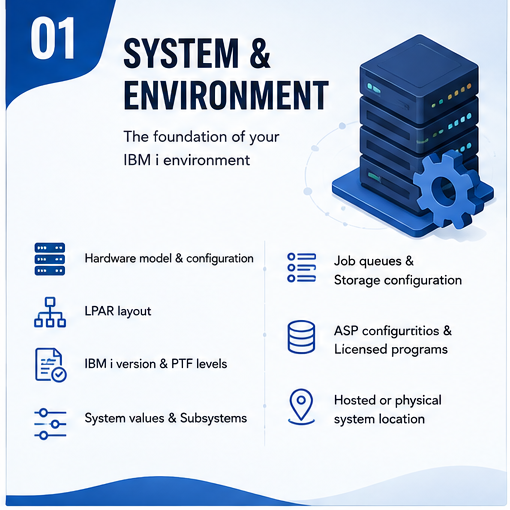
Layer 1: System and Environment
This is the foundation. It should describe the IBM i environment itself, including:
- Hardware model and configuration
- LPAR layout
- IBM i version
- PTF levels
- System values
- Subsystems
- Job queues
- Storage configuration
- ASP configuration
- Licensed programs
- Hosted or physical system location
This information becomes critical during disaster recovery, upgrades, infrastructure changes, and support transitions.
If a production environment needs to be rebuilt or moved, the team should not have to reconstruct its basic configuration from memory. For that reason, system and environment documentation is usually one of the first areas to complete.
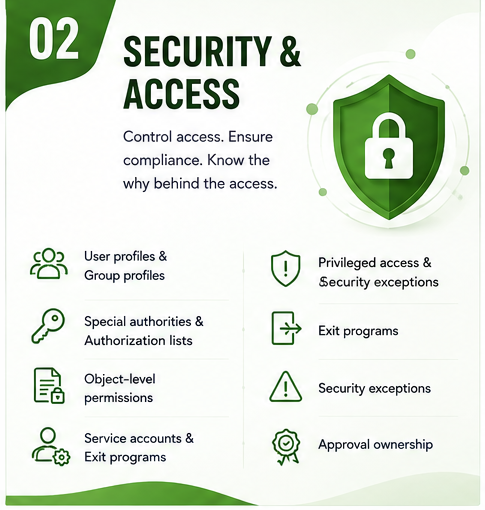
Layer 2: Security and Access
Security documentation should explain how access is actually controlled across the IBM i environment.
That includes:
- User profiles
- Group profiles
- Special authorities
- Authorization lists
- Object-level permissions
- Service accounts
- Exit programs
- Privileged access
- Security exceptions
- Approval ownership
This layer is particularly important for audits and security reviews.
An organization cannot confidently revoke unnecessary access if nobody can explain why the access exists in the first place.
The same problem appears during employee departures, privilege reviews, incident response, and security modernization.
A current security model should make it possible to answer not only who has access, but also why they have it and who approved it.
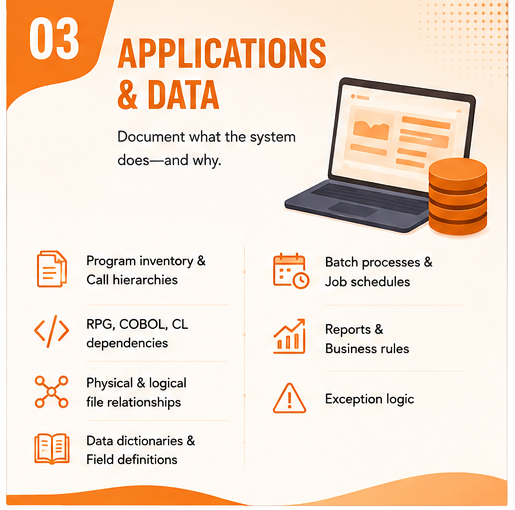
Layer 3: Applications and Data
Application documentation is usually the largest and most complex part of an IBM i estate.
It should cover:
- Program inventory
- Call hierarchies
- RPG, COBOL, and CL dependencies
- Physical and logical file relationships
- Data dictionaries
- Field definitions
- Batch processes
- Job schedules
- Reports
- Business rules
- Exception logic
This is also where undocumented IBM i environments tend to accumulate the most technical debt.
A program may contain logic written years ago for a particular customer, contract, pricing exception, regulatory requirement, or downstream report.
The code can often show what the program does.
It does not always explain why the rule exists.
That business context is what makes AS400 knowledge transfer especially important.
If a modernization team sees a condition in RPG that changes a calculation by 3.5%, they can identify the technical behavior. They may not know that the rule exists because of a contract signed in 2009 or because another report still depends on the adjusted value.
That reasoning needs to be captured while the people who understand it are still available.
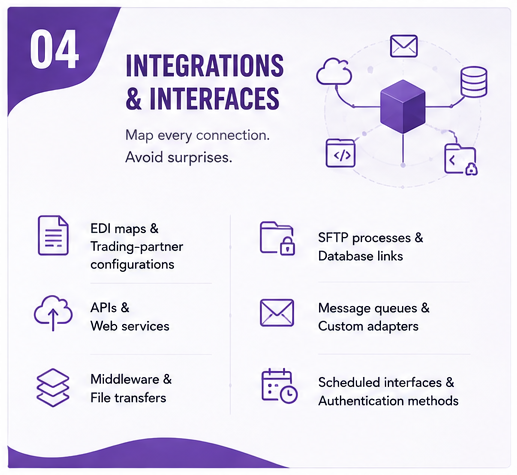
Layer 4: Integrations and Interfaces
Integrations are often where undocumented dependencies create the biggest surprises.
This layer should document every meaningful connection between IBM i and another system, including:
- EDI maps
- Trading-partner configurations
- APIs
- Web services
- Middleware
- File transfers
- SFTP processes
- Database links
- Message queues
- Custom adapters
- Scheduled interfaces
- Authentication methods
The challenge is that integration knowledge often crosses several teams.
The IBM i team may understand one side of the interface. A third-party vendor owns another. Operations may understand the file schedule, while finance understands the business consequence when the data is late.
If those relationships are not documented end to end, changes become risky.
This is why integration documentation should be completed early in any upgrade or modernization program.
Moving one application can affect several systems that were never visible in the original project scope.
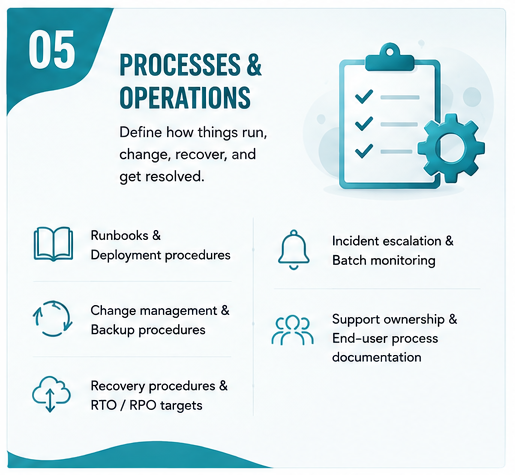
Layer 5: Processes and Operations
The final layer explains how the environment is operated in practice.
That includes:
- Runbooks
- Deployment procedures
- Change management
- Backup procedures
- Recovery procedures
- RTO and RPO targets
- Incident escalation
- Batch monitoring
- Support ownership
- End-user process documentation
This layer becomes particularly important during onboarding and support transitions. A new IBM i professional may understand the technology, but that does not mean they understand how your organization runs month-end, what happens when a particular job fails, or who needs to approve a production change.
Where does your IBM i estate actually sit?
Get a structured documentation assessment of what exists, what is missing, and what it will take to close the gap.
A Practical AS400 Documentation Maturity Model
Before starting a documentation initiative, it helps to understand where the organization stands today. Most IBM i teams fall somewhere between five maturity levels.
| Level | Stage | What it looks like | Main risk |
|---|---|---|---|
| 0 | Tribal | Almost nothing is written down. One or two people understand most of the estate. | Extreme key-person dependency |
| 1 | Fragmented | Documentation exists in spreadsheets, old documents, source comments, and shared folders. | Nobody knows which information is current |
| 2 | Snapshot | A documentation exercise was completed once, but the output has not been maintained. | Decisions are made using increasingly stale information |
| 3 | Current | All important layers are documented, searchable, owned, and reviewed regularly. | Low operational and modernization risk |
| 4 | Living | Documentation is updated as part of the change process and remains aligned with production. | Documentation becomes self-sustaining |
The important point is not to jump directly from Level 0 to Level 4. Getting to Level 3 is usually a documentation project. Getting from Level 3 to Level 4 requires a process change.
Documentation becomes sustainable only when updating it is part of normal development, support, and change management.
What It Costs to Stay Undocumented
Documentation often struggles to win budget because its benefits are difficult to see until something goes wrong. The cost of missing documentation is easier to understand when it is tied to specific business activities.
Incident resolution takes longer
When a production issue occurs, support teams first have to understand the system before they can fix it. If job dependencies, integrations, or application logic are undocumented, a large portion of incident time is spent on discovery. That increases mean time to resolution and makes outages more expensive.
Modernization starts with reverse engineering
A modernization partner cannot estimate accurately if the current environment is unclear. Before migrating or refactoring anything, the team has to identify applications, dependencies, interfaces, data structures, and business rules.
If that information already exists, the project begins with planning. If it does not, the organization pays to recreate knowledge it once had.
Knowledge leaves with employees
Key-person dependency is one of the largest hidden costs in an IBM i environment.
When experienced employees retire or leave, replacement teams need to rebuild context before they can safely make changes.
The cost is not simply recruitment. It is slower support, longer onboarding, and higher risk during the transition.
Audits create repeated discovery work
Security reviews, compliance exercises, and audits frequently require information about access, changes, processes, and system controls.
If that information is not documented, teams reconstruct the same evidence repeatedly.
That turns documentation gaps into a recurring operating cost.
Upgrades become harder to plan
IBM i upgrades depend on accurate information about hardware, software versions, PTFs, applications, integrations, and compatibility.
When that information is fragmented, discovery becomes part of the upgrade project itself.
With IBM i 7.4 reaching the end of standard support on September 30, 2026, this is now a current planning issue rather than a theoretical future risk.
How AI Can Help With AS400 Documentation
AI has genuinely changed the economics of IBM i documentation, but only in specific places.
The application layer used to be the most expensive part of any documentation effort. Mapping thousands of programs, tracing call hierarchies, and working out what a fixed-format RPG program written in 1997 actually does was slow, manual work that only an experienced developer could do.
That is the part AI now compresses.
The rest of the estate, meaning configuration, security, integrations, operations, and the business reasons behind the code, still needs people.
Knowing which is which is what makes AI useful rather than misleading.
Six places AI earns its keep
1. Program inventory and call hierarchies
Feed it your source library and it produces a program list, call relationships, and dependency chains far faster than manual tracing.
This is the single biggest time saving available, because it turns weeks of discovery into a first draft you can review.
2. Code explanation and inline documentation
Modern IBM i AI tooling can explain what a program does in plain language, summarize a routine, describe how a procedure is meant to be called, and write that explanation back into the source as a comment.
IBM's watsonx Code Assistant for i exposes exactly these functions (Explain, Summarize, Describe Usage, and Document) as code lenses inside VS Code for IBM i, built on a Granite model fine-tuned for RPG and IBM i. Availability has moved more than once, so confirm the current status before planning a project around it.
3. File and field cross-references
Which programs read this file. Which programs write to it. Which fields are used where.
Cross-reference and impact analysis is exactly the kind of exhaustive, mechanical work that people do badly and tools do well. Established IBM i analysis products such as Fresche's X-Analysis and ARCAD's Discover have done this for years, and both have added AI capabilities recently.
4. Business rule discovery
AI can surface candidate business rules: the conditions, calculations, and exceptions buried in RPG and CL.
Treat the output as a list of questions, not a list of answers. Fresche's approach, for example, is to extract business rules from legacy RPG before generating anything, specifically to constrain what the model invents. That is the right instinct. A candidate rule list is enormously valuable. A candidate rule list presented as fact is dangerous.
5. Preparing the SME interview
This is the use case most teams miss, and it may be the highest value one.
Your most experienced IBM i person has very little time. If you hand them a blank page and ask "tell me how this works", you burn their hour on explanation.
Instead, run the AI pass first, then bring them the output. Their hour is now spent confirming, correcting, and adding the why, which is the only part that could never be recovered from the system.
The same expert time produces several times more documentation.
6. Keeping documentation current
Once technical documentation can be regenerated cheaply, it stops being a one-time snapshot.
Re-running analysis after a change is what makes the difference between Level 3 documentation, which is current, and Level 4, which stays current.
What the Tooling Landscape looks like
| Capability | What it does | Examples |
|---|---|---|
| Code explanation and inline docs | Explains RPG in plain language, writes comments back into source | IBM watsonx Code Assistant for i, IBM Bob |
| Impact and cross-reference analysis | Program, file, and field relationships, graphical documentation, design recovery | Fresche X-Analysis, ARCAD Discover |
| Business rule extraction | Surfaces candidate rules from legacy RPG and Synon before any code generation | Fresche |
| Agentic conversion and testing | Conversion, compilation, test generation, error resolution | Profound Logic CoderFlow |
| General-purpose models | Increasingly capable on RPG when given the right context | Claude, Gemini, GPT, Granite, Llama |
A 90-Day AS400 Documentation Plan
A documentation initiative is more manageable when it is sequenced by risk rather than by volume. A practical 90-day plan can move many IBM i environments from fragmented documentation toward a current, migration-ready state.
Days 1–15: Scope the Estate
Start by establishing what exists.
Inventory:
- LPARs
- Libraries
- Major applications
- Program volumes
- Job schedules
- Interfaces
- Security components
- Critical business processes
Then identify the most important applications and objects based on business impact rather than technical size. A relatively small RPG program supporting order entry may be more important than hundreds of utilities.
This is also the right time to identify the people whose knowledge is most difficult to replace.
Interview long-serving developers, administrators, and operations staff early. Their context is often the only part of the environment that cannot be reconstructed later from system data.
Days 16–45: Document the Highest-Risk Layers
The next phase should focus on the areas that are finite and carry the most immediate operational risk.
- Complete the system and environment layer
- Document security and access
- Map integrations and interfaces
These areas are usually easier to define than the application estate and are critical to audits, disaster recovery, upgrades, and migrations.
At the same time, begin application documentation for the most business-critical programs. Do not attempt to map every object yet.
Focus on the programs, files, and jobs that support revenue, customers, inventory, finance, and other core processes.
Days 46–75: Build Application and Data Depth
Once the environment and interfaces are mapped, move deeper into application logic.
Create:
- Program inventories
- Call hierarchies
- File cross-references
- Data dictionaries
- Business-rule documentation
- Batch dependencies
This is where AI-assisted code analysis can save substantial time.
Use it to accelerate technical discovery, then ask experienced IBM i staff to review the output and explain the business reasoning behind important rules.
That distinction matters. The technical explanation tells you how the system works.
The business explanation tells you whether the behavior should survive modernization.
Days 76–90: Make Documentation Operational
The final phase should focus on keeping the documentation useful. Put everything in one searchable repository with:
- Version history
- Access control
- Clear ownership
- Reliable search
- Defined update responsibility
Then document operational procedures such as:
- Deployment
- Recovery
- Backup
- Batch monitoring
- Incident escalation
- Change management
Recovery procedures should be tested rather than simply written. Finally, update the change process, so documentation is reviewed whenever a relevant system change is completed.
At the end of 90 days, the goal is not to have documented every line of code. The goal is to have enough reliable information that an upgrade, migration, audit, support transition, or modernization project can begin without first rediscovering how the environment works.
What Good AS400 Documentation Should Leave You With
A successful AS400 documentation initiative should produce more than a collection of files.
It should leave the organization with a clear understanding of:
- What systems and applications exist
- How the environment is configured
- Who has access
- Which programs are business critical
- How data is structured
- Which systems are connected
- How batch jobs depend on one another
- Why important business rules exist
- How the environment is deployed and recovered
- Who owns the documentation
- How documentation stays current
That is what turns documentation from an archive into an operating asset.
For organizations planning upgrades, modernization, cloud migration, or knowledge transfer, the work becomes even more valuable because the same documentation can support every subsequent project.
How Nalashaa Approaches IBM i Documentation
Nalashaa approaches IBM i documentation as part of the wider lifecycle of an IBM i environment rather than as a standalone writing exercise.
A typical engagement begins with an assessment of the estate across the five documentation layers. The objective is to identify where knowledge is missing, which gaps carry the highest operational risk, and what should be documented first.
From there, the scope is ranked according to business criticality, modernization plans, audit requirements, and support risk.
The documentation work itself is handled through a combination of system discovery, code analysis, interviews, and validation with internal subject matter experts. This reduces the amount of time IBM i specialists need to spend writing documentation themselves while still capturing the context only they can provide.
The final step is to put the output into a searchable system and connect documentation updates to the organization's existing change process.
A few years ago, we helped a U.S.-based food processing company document a complex IBM i environment that supported multiple manufacturing locations. The business was preparing for a future ERP migration, but hundreds of processes and sub-processes across purchasing, order management, inventory, AR/AP, and logistics were not documented in enough detail to support that move confidently.
Our team mapped the environment across data, business processes, integrations, DevOps, and operational dependencies. We also created object-level flowcharts to make RPG program logic and business rules easier for both existing and new team members to understand.
The result was a clearer view of the current IBM i estate and a stronger foundation for ongoing support, knowledge transfer, and future migration planning.
TL;DR: Document the System Before the Knowledge Leaves
The main risk in an undocumented IBM i environment is not that the platform suddenly stops working.
It is that the organization gradually loses the knowledge required to support, secure, upgrade, and modernize it.
Good AS400 documentation captures that knowledge while it is still available and turns it into something the wider organization can use.
Start with the system, security, integrations, and business-critical applications. Capture both what the technology does and why important rules exist. Then make documentation updates part of the change process so the information stays current.
The goal is not to document every object in the estate.
It is to make sure the next upgrade, incident, audit, modernization project, or employee departure does not begin with the same question:
"Does anyone know how this actually works?"
Want to discuss your AS400 documentation gaps with an expert?