
Organizations wasted 29% of their cloud spend in 2026, the first increase in five years, and 85% say managing cloud spend remains a top challenge.
Many companies also report annual cloud cost increases of 20 to 30%, often because cloud financial management is still immature.
Is Cloud the problem?
No, the real problem is 'Ungoverned cloud'.
What if we told you that in one of the AS400 Cloud migration scenarios we encountered, a North American retailer running IBM i reported yearly cost savings of USD 450,000 after moving its workloads from aging on-premises Power7 systems to IBM Power Virtual Server on Power9?
That is the difference between simply moving to the cloud and actually designing for cloud economics.
Moving AS400 or IBM i workloads to the cloud can definitely reduce cost, but only when the move changes how infrastructure is planned, monitored and controlled.
So the question is not just, “Should we move IBM i to the cloud?”
The better question is: “How do we move it in a way that protects ROI?
What People Assume vs Where the Value Really Is
We went through IBM i forums, community discussions, trade publications and practitioner comments to understand how people who actually run these systems talk about cloud cost.
The concerns were pretty consistent:
- Cloud looks attractive in the first few years, especially when it helps avoid a hardware purchase.
- Over a longer IBM i hardware life, the monthly hosting bill can start to look expensive.
- IBM i cloud pricing is not just compute. Licensing can change the whole calculation.
- Third-party tools may not move cleanly to cloud without transfer fees or repurchase costs.
- Exit fees and data movement costs need to be checked before signing.
- Hosting does not automatically remove IBM i administration.
- Cloud makes more sense when it solves a real problem like refresh cost, weak DR, limited skills or backup dependency.
If you notice, the concern is not really “cloud is bad.”
Cloud is often sold as a cost-saving shortcut when the actual business case is more specific than that.
For IBM i, cloud hosting pays off only when the reason for moving is clear:
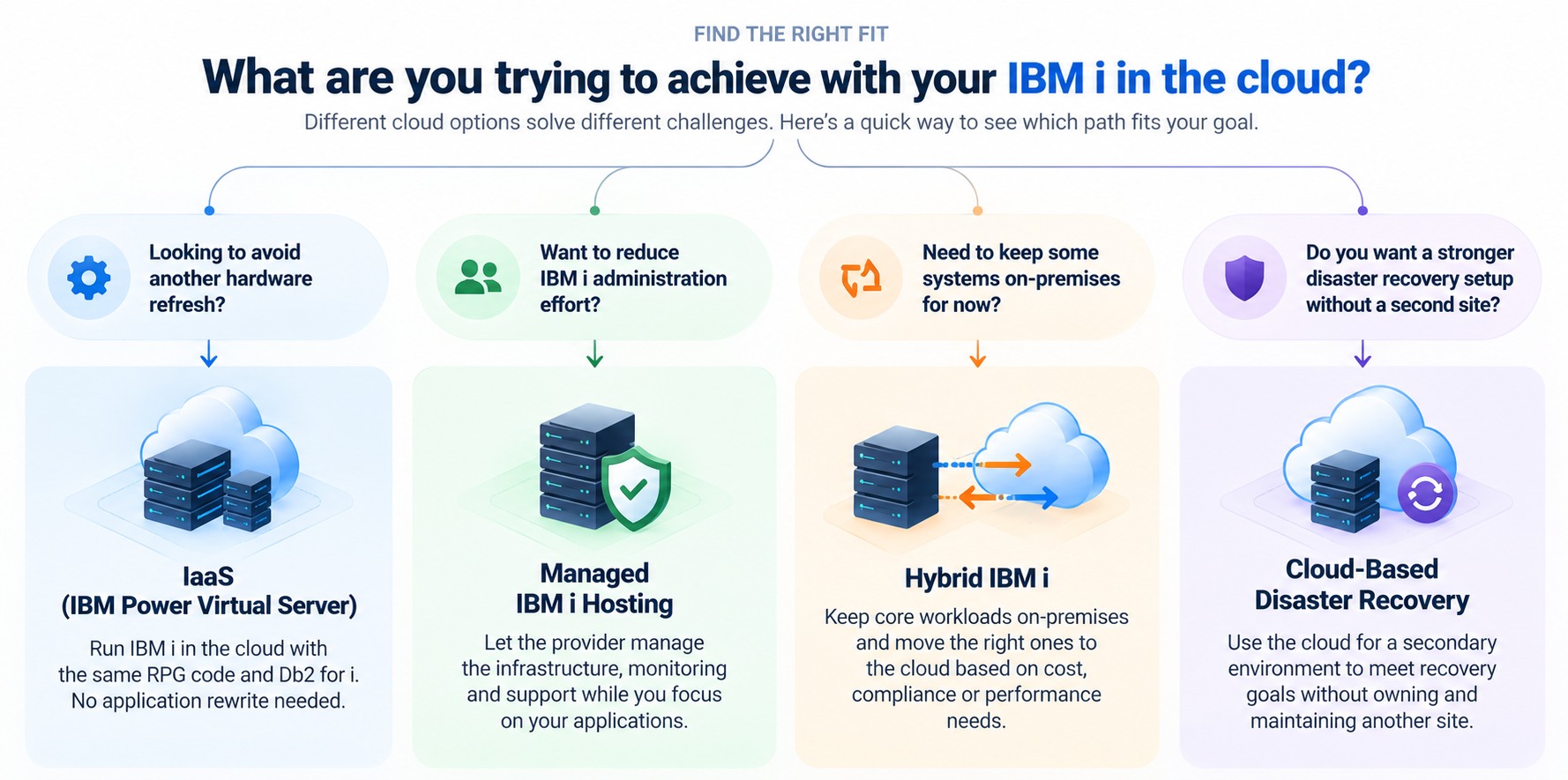
- If the business is facing a hardware refresh, cloud may help avoid a large upfront purchase.
- If disaster recovery is weak or missing, cloud may help build a recovery path without owning another site.
- If IBM i skills are getting harder to find, managed hosting may reduce dependence on one or two internal people.
- If the goal is long-term cost reduction, the numbers need to prove that cloud wins beyond the first three years.
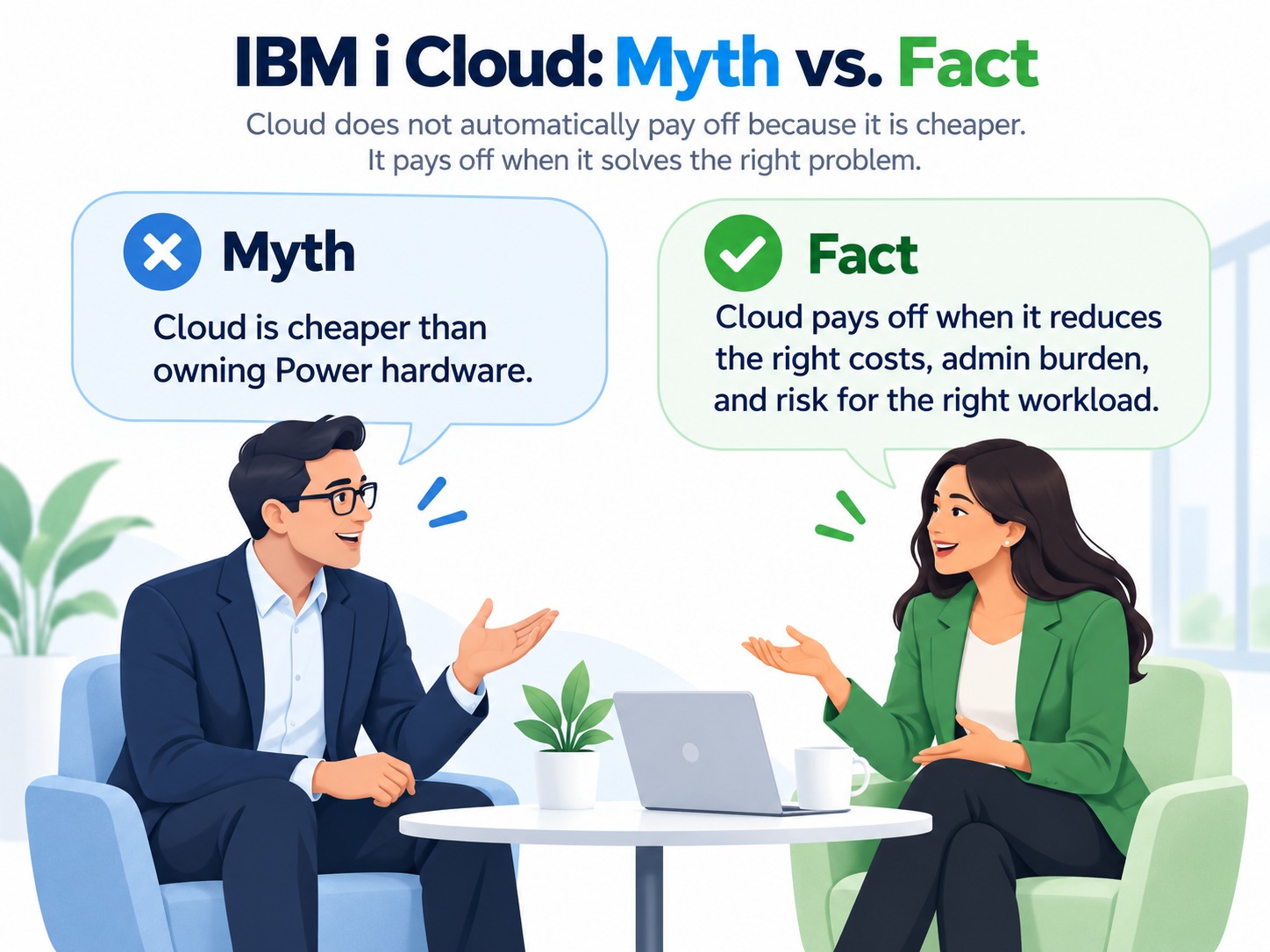
In a nutshell, the problem happens when Cloud is presented as a cheaper medium than owning Power hardware. Its real value lies in reducing specific costs, operational burdens, and risks when the timing, workload, and operating model make sense.
Want an expert review of your AS400 cloud migration plan?
Our AS400 experts can help you review your current setup, validate cost assumptions, and identify the migration approach
Where AS400 Cloud Hosting Can Cost Less Than Owning Power Hardware
Owning IBM Power servers means paying for the hardware, the refresh cycle, the data center, the disaster recovery site, and the people who keep it all running, whether the system is busy or not. Cloud hosting turns most of that into a usage-based service, and IaaS options run IBM i with the same RPG code and Db2 for i, so no application rewrite is needed to capture the savings.
| Cost driver | Owning Power hardware on-premises | AS400 cloud hosting | What can erode the savings |
|---|---|---|---|
| Hardware refresh | Servers are purchased outright and replaced during each refresh cycle. | The provider owns and maintains the hardware, so you avoid regular refresh cycles. | Exit fees, provider lock-in, or higher pricing at contract renewal. |
| Accounting treatment | Large upfront capital expense, depreciated over several years. | Typically treated as an operating expense. On Azure, eligible spend may count toward existing Azure commitments. | Recurring spend continues indefinitely, and unused committed capacity may still be billed. |
| Capacity | Infrastructure is usually sized for peak periods such as month-end or year-end, leaving excess capacity idle at other times. | Capacity can be adjusted as workload requirements change. | Data transfer charges, unused provisioned capacity, or oversized instances left running. |
| Disaster recovery | Requires a second system or recovery site that may remain idle most of the time. | Cloud-based DR can remove the need for a second owned site. | Replication and data transfer charges, plus DR environments that continue accruing costs while idle. |
| Facilities & operations | Includes floor space, power, cooling, maintenance contracts, and internal staff time. | Most infrastructure and facility costs are included in the service fee. | IBM i and third-party software licensing may not be fully included and may require separate cloud licensing. |
Choosing the Right Cloud Option Matters for Cost Control and ROI
Well, one of the biggest things to think about before moving AS400 or IBM i to the cloud is which cloud model actually fits the way your workload runs.
A lot of cloud cost problems start when companies choose the destination first and work out the workload economics later.
How much capacity do you really use? What happens to your software licences? Will anything on-premises actually be retired? How long will you keep the system?
Those questions can change the business case quite quickly.
So before we look at the different IBM i cloud options, here are a few situations where the numbers can start to slip.
You carry your old sizing into the cloud
Your Power environment may have been sized to handle peak demand.
That does not necessarily mean you need that same capacity all the time in the cloud.
With Power Virtual Server, you pay for the resources you provision. So, if you simply recreate the old environment at its peak size, you can end up paying for the capacity you are not using most of the time.
This is where sizing matters. The cloud advantage comes from provisioning around actual demand and adjusting capacity when the workload needs it.
And it is worth testing the numbers rather than assuming cloud will automatically be cheaper.
Licensing can change the quote
The infrastructure price may look reasonable, but licensing can change the configuration you actually need. The bigger risk is the IBM i software tier, because each tier caps how large a virtual server can be. P05 allows up to 1 virtual processor and 64 GB of memory; P10 allows up to 4 virtual processors and 1 TB. A workload that grows past either P05 limit moves up to P10, and the IBM i software line is billed at the higher tier. A modest capacity increase can therefore change the quote more than the extra capacity alone would suggest.
Processor configuration matters too, though less. IBM’s own example shows a 5-core and a 6-core virtual server needing 11 per-core licenses on dedicated processors, but 10 when both run in a shared processor pool. That is a small saving, but it depends on how the servers are set up.
And some IBM products do not let you carry existing licenses into Power Virtual Server, meaning they may need to be purchased again through the service.
Your business case ends at three years, but IBM i may stay much longer
Three-year comparisons are common, but IBM i customers often keep Power systems for four to seven years, sometimes longer. Cloud charges keep recurring for as long as the workload runs, which means every sizing, licensing and commitment decision keeps affecting the bill year after year.
That can change the outcome. A model that looks attractive over three years may look different over six once you include recurring charges, commitment terms and any infrastructure you continue to run alongside it.
So compare each option over the period you would realistically keep your Power hardware. A longer view helps you see which choices compound over time, which model remains economical, and whether that workload should move at all.
You choose hybrid, but nothing actually goes away
Hybrid can make sense. You keep the core IBM i workload where it is and move analytics, web applications or other services to the cloud. IBM says Power Virtual Server can connect to on-premises systems to run in a hybrid configuration, and Kyndryl says its Azure-based service lets you reach Azure analytics and AI services from IBM i.
The cost question is simple: which line item disappears once the cloud part is running?
Disaster recovery is the clearest example. IBM positions cloud-based DR as a way to protect IBM i workloads without buying a second set of hardware. If your cloud DR environment replaces a second Power server at another site, you can retire that server, its maintenance and its data center space, so the cloud charge replaces a cost. If you add cloud DR and keep the second server running, you pay for both and have bought an extra environment without removing any cost.
The same test applies to any hybrid plan. Before you commit, write down what the cloud side replaces and when the old cost ends. If you cannot name one, hybrid adds cost instead of improving the economics.
You treat every environment like production
Production, dev/test and disaster recovery do not all need the same amount of capacity.
But it is easy to size them that way, and in the cloud that can mean paying for resources you rarely use.
IBM’s own DR example shows a better approach. Instead of keeping the DR environment at full production capacity all the time, you can keep it at a much smaller level during normal operation and increase the capacity when a failover actually happens.
The same thinking applies to dev/test. If those environments only need more resources at certain times, they do not have to be sized like production all year.
So look at each environment separately: what needs to run continuously, what can stay smaller most of the time, and what only needs extra capacity when something happens?
That is where cloud flexibility can start working in your favor.
Explore the Best IBM i Cloud Options for Your Workload
Now, let’s look at some of the main IBM i cloud options and where each one can make the most sense.
| Option | Best fit | Where you can gain | Who runs the OS? | Watch out for |
|---|---|---|---|---|
| IBM Power Virtual Server | Organizations that want to keep IBM i largely unchanged while moving away from owning hardware. | Shifts spending from capital expense to consumption-based billing. Capacity can be provisioned on demand, IBM i licensing is included, and DR environments can run at a smaller footprint until failover. | Your team runs IBM i and the software stack. IBM manages the underlying infrastructure. A managed service partner can take on OS administration. | IBM i software tier changes can increase costs as capacity grows. Some IBM software may also need to be repurchased through the service. |
| Kyndryl Cloud Uplift on Azure | Organizations already invested in Azure that want IBM i closer to Azure apps, analytics, and AI services. | IBM Power hardware runs inside Azure data centers and connects through ExpressRoute. Capacity can be scaled without rewriting IBM i workloads, and IBM i licensing is built into the service. | Your team manages IBM i, including PTFs, unless managed services are added. Microsoft maintains the underlying hardware. | ExpressRoute and Azure data transfer charges may sit outside the Power service price. Third-party software may also require re-licensing. |
| Private hosted IBM i | Organizations that want a provider to take over most day-to-day IBM i infrastructure and operations. | The provider can manage hardware, backups, data center operations, maintenance, and OS updates, reducing the internal support burden. | The hosting provider typically handles infrastructure, backups, and OS updates. The contract defines what remains with your team. | Contract length, exit fees, and services excluded from the monthly price, such as third-party licenses or disaster recovery. |
| Hybrid | Organizations with a stable on-premises IBM i environment that want to move only selected workloads or DR to the cloud. | Keeps the existing core system while using cloud capacity for specific needs such as disaster recovery, analytics, or temporary workloads. | Your team continues running the on-premises environment. Responsibility for the cloud side depends on the service model you choose. | You may end up paying for both environments, plus data transfer costs, while still carrying part of the on-premises hardware lifecycle. |
Before you choose a cloud model, make sure the numbers work for your workload
Our AS400 experts can help you evaluate sizing, licensing, DR, and long-term cost before you commit.
The AS400 Cost-Control Checklist
Most of these leaks are easy to catch if someone asks the right question at the right time. For an IBM i estate, the questions look like this.
Before the migration is approved
- Have we sized the cloud partition from Collection Services (IBM i’s built-in performance history showing actual CPU, memory, and disk usage) or performance history, not from the processor and memory on the current Power server?
- What is the actual CPW (IBM’s measure of system processing capacity) we use on a normal day, and what do we use at month-end and year-end? Can the cloud partition flex between the two instead of being provisioned at the peak?
- Which IBM i licence tier (P05, P10, P20, P30) does the target run at, and what does that do to the per-core monthly charge?
- Have we listed every third-party product on the system (ERP, HA replication, BRMS, scheduling, security, EDI, reporting tools) with its licence basis: serial number, processor group, core count or user?
- For each one, has the vendor confirmed in writing whether the licence transfers, transfers for a fee, or must be bought again?
- Does any ISV contract require dedicated cores? If so, what does that do to the quote?
- What are the exit terms: data export, backup to physical media, shipping and transfer fees for leaving the hoster?
- Has the business case been run over the number of years we would have kept a new Power server, not only three?
At cutover
- Is there an end date on hardware and software maintenance for the Power server we are retiring, and is it in the contract?
- Do dev, test, training and QA partitions have a schedule, or are they billing around the clock?
- Is DR sized as a warm or cold target rather than a full copy of production?
- Are backups going to a virtual tape or cloud target with a known monthly cost, or still to physical tape with a shipping line attached?
- Is journaling and HA replication traffic between partitions or sites priced as data transfer?
- Have we tagged every partition with a business owner and cost centre from the first invoice?
Every month after go-live
- What does each LPAR cost this month, and who owns it?
- Which partitions have had no interactive sign-ons or batch jobs in the last 30 days?
- Is any partition still running at the capacity we migrated with, or has it been right-sized against actual usage?
- Have test and training partitions been switched off outside working hours?
- Are we still paying for anything on-premises that should have stopped at cutover: maintenance, the DR site, floor space, a tape service?
- What is the cost per order, invoice or transaction, and is it falling as volume rises?
- Is forecast against actual within the range we committed to?
Take Off to the Cloud Without Sending Costs Sky-High
The right AS400 cloud move is not about getting off Power as quickly as possible. It is about knowing what should move, where it should go, what should stay, and what the move will actually cost over time.
That is where the planning makes the difference.
At Nalashaa, we help assess your current IBM i environment, understand workload dependencies, compare migration options, and identify the path that best fits your cost, performance, and modernization goals.
Before you commit to a provider or migration model, make sure the numbers work for your environment.
Get a free consultation by scheduling a call with our AS400 cloud experts. We’ll help you evaluate your current setup, understand your options, and identify a migration path that protects ROI without adding unnecessary cost.
A Few More Reads to Make Your AS400 Cloud Migration Decision Easier
Frequently Asked Questions
What are the ways to move an AS400 to the cloud?
The most direct way is to rehost the application: you move your IBM i environment to the cloud as it is, with no rewrite, and then modernize it from there. Once the system is in the cloud, you can replace green screens with new user experiences and workflows, automate repetitive tasks with robotic process automation, and add data analytics to the existing data.
Your next choice is where it runs. The documented routes for IBM i are IBM Power Virtual Server on IBM Cloud, Kyndryl Cloud Uplift (formerly Skytap on Azure), which runs IBM Power hardware in Azure datacenters, and IBM Power on Google Cloud through partner Converge. Managed hosting providers that specialize in IBM i are another option. For the data move itself, IBM's migration guidance for Power Virtual Server describes four methods: full system backup and restore with native commands, PowerVC, mass data migration, and partial saves and restores.
Do I have to rewrite my RPG and COBOL applications to move to the cloud?
No. In a lift-and-shift migration, the IBM i environment moves to cloud-hosted IBM Power infrastructure without application refactoring. Microsoft's architecture guidance for IBM i on Azure describes the approach this way. Rewriting or re-platforming is a separate, longer project that you choose for other reasons.
Is migrating to the cloud the same as moving Db2 for i data to SQL Server or Oracle?
No. Moving IBM i to a cloud-hosted Power system keeps your database and applications on IBM i. Moving data to SQL Server or Oracle is a database migration. In an IBM Community thread on Db2/400 migration, one contributor pointed out that Db2 Connect only moves data between Db2 instances. Other targets need a data access tool that supports them, and the work gets harder when the database relies on features such as RPG triggers. His advice was to bring in experienced professionals.
How much downtime does an IBM i cloud migration involve?
It depends on the method. IBM's Migrate While Active offering keeps the on-premises system running while data replicates to Power Virtual Server. IBM says it can cut downtime "from days or weeks to mere minutes or hours." Downtime still happens twice: once at the start to create the checkpoint, and once at the end to synchronize source and target. IBM describes it as a migration tool, not a disaster recovery solution. It works best on data estates of about 2 to 3 TB or less with native replication. Above 10 TB, IBM recommends virtual tape libraries.
Will my third-party software licences still work after the move?
They might not, so check before you migrate. Moving to the cloud changes more than the system serial number. The model, processor feature and processor group change as well. Many third-party tools tie their licence keys to those details, and a licence may stop working or need to be reissued on the new platform. List every third-party tool you run, then ask each vendor how its licence behaves in the cloud and whether it needs new keys or a different licence type. Settle this before cutover, so nothing fails on the first day.
How do backups work once IBM i is in the cloud?
You can keep native IBM i tools. Microsoft's guidance for IBM i on Azure restores backups to the cloud LPAR with the standard restore options or BRMS. Backup in Power Virtual Server uses IBM Cloud Storage Solutions for i, a virtual tape library over iSCSI, object storage buckets and local disk, as another IBM Champion described in an IBM Community thread. A migration also needs temporary disk, software, hardware, professional services and a synchronization window.
What does it cost to run IBM i in the cloud?
Public cloud IBM i is billed on consumption. Compare it against your own hardware over the years you would actually keep it, because on-premises servers often run longer than a typical three-year cloud term. IT Jungle's 2019 comparison put three years of IBM's cloud at list price at about 1.86 times the cost of buying a comparable Power S922. That figure is list price and several years old, so get a current quote for your configuration. The same article said it was unclear whether customers were saving money on public cloud yet.